 NeuroAlarm
The heavy-sleeper alarm that won't stop until you're actually up.
NeuroAlarm doesn't stop at a swipe. It keeps ringing until you complete a real, verified challenge — walk 100 m outside, climb a flight of stairs, do squats, or beat a Stroop test. By the time you're done, going back to sleep isn't an option.
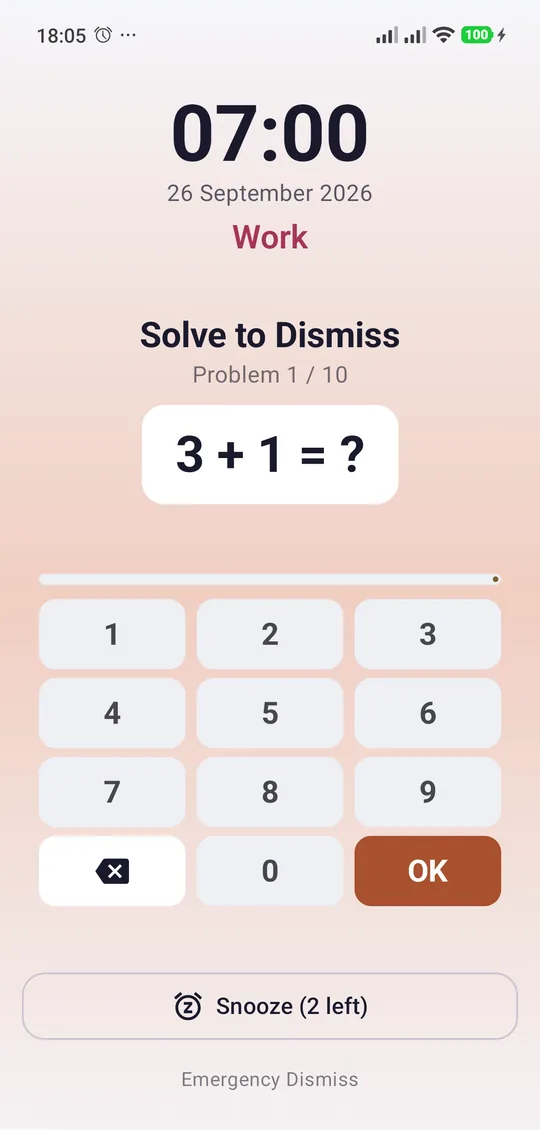
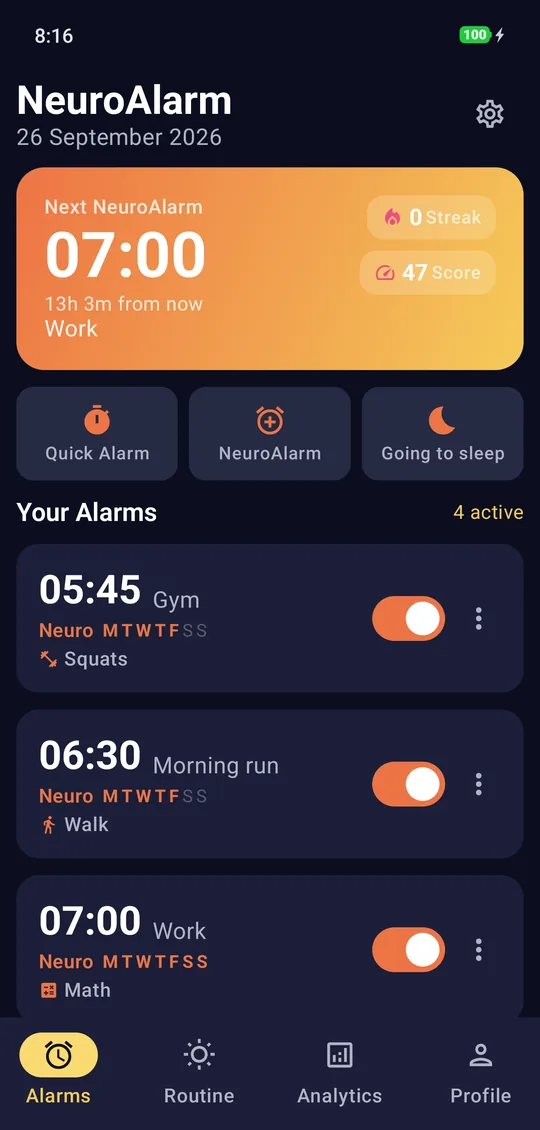
Snooze isn't a button. It's a habit.
Every other alarm lets you swipe it away half-asleep and surrender in seconds. NeuroAlarm makes that physically impossible — it ties dismissal to an action your sleepy brain can't fake. Solve it honestly and you're up for good. Try to cheat and it knows.
Everything an alarm should do — and the part it never does.
Two alarm modes
A clean Quick Alarm when you just need a reminder, and the full NeuroAlarm that won't quit until you've earned your morning.
20 dismissal challenges
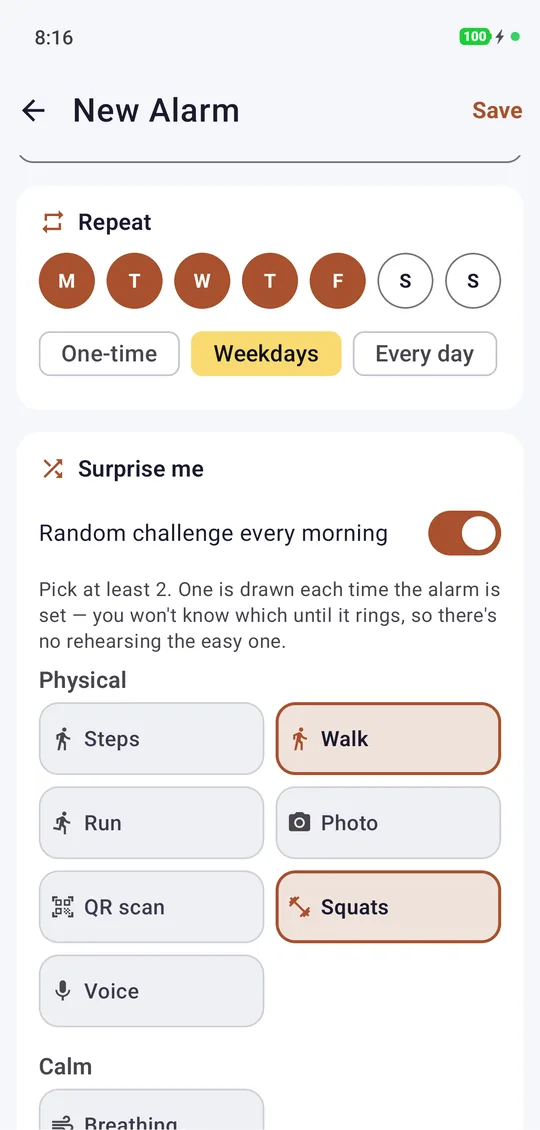
Physical, mental and calming tasks across every difficulty — from counting steps to a 4×4 Sudoku. Pick one, or chain two together.
Anti-cheat that works
GPS distance rejects fake-location apps. The stair challenge defeats elevators with a barometer. Run detection ignores vehicle speeds. No shortcuts.
Rock-solid reliability
Survives reboot, Doze, force-kill and time changes. Optional uninstall-protection stops a groggy you from deleting the app mid-ring.
Private by design
No account, no ads, no analytics SDK. Every alarm and challenge runs on your device. Internet is used only by Google Play Billing for the optional Pro purchase and by Google's ML Kit, which sends anonymous diagnostics when you use Photo or QR — never your images, alarms or location.
Insightful analytics
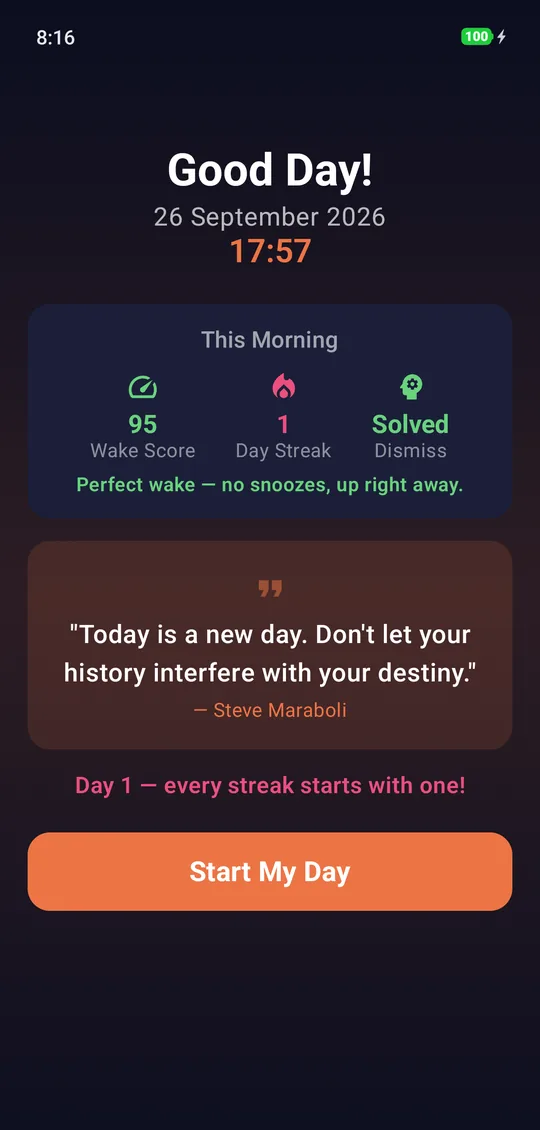
Wake-score trends, streaks, snooze counts and a full history — plus XP, coins and achievements that make getting up a game you want to win.
No drifting back to sleep
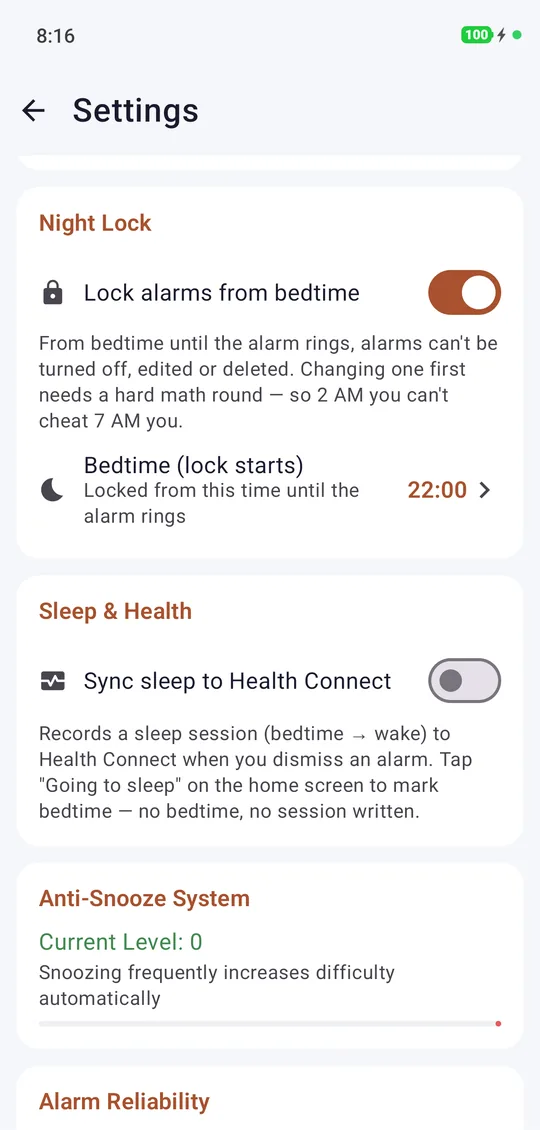
Night Lock locks your alarms from bedtime until they ring — unlock early only by solving a hard round. Back-to-Bed Guard rings again if you dismiss and lie back down. (Pro)
Surprise Me & your own voice
Surprise Me draws a random challenge from your pool each night, so there's no rehearsing the easy one. Record your own wake message to play before the tone. (Pro)
Widget & themed ring screen
A home-screen widget shows your next alarm for free; Pro adds your wake streak. The ring screen follows your chosen theme.
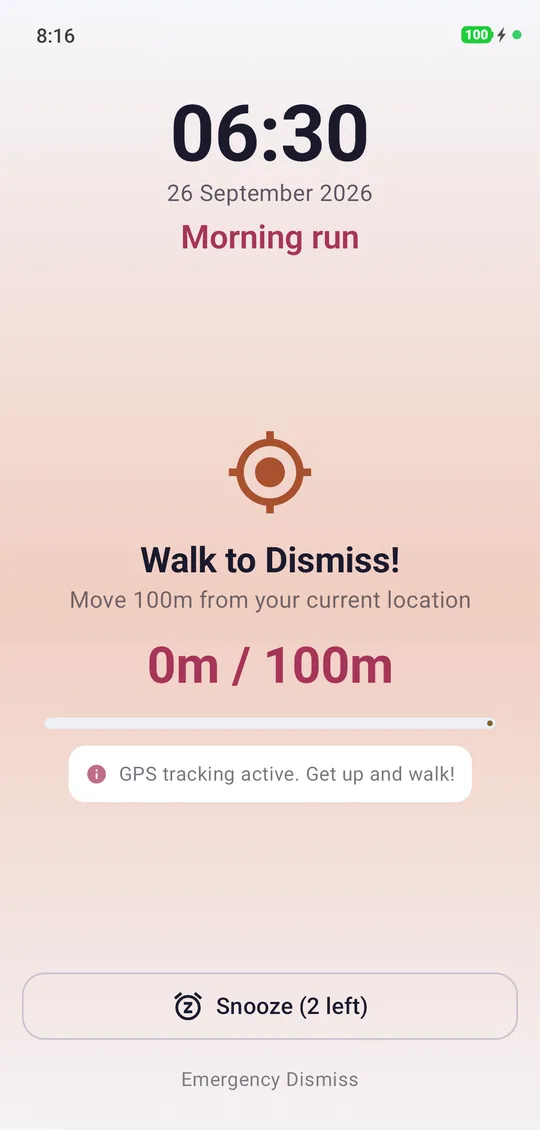
It can tell the difference between doing it and faking it.
Most "math alarms" can be brute-forced or spoofed. NeuroAlarm's challenges are sensor-verified and built to catch the obvious cheats.
- Mock-GPS rejectionWalk and Run discard fixes from fake-location apps, Magisk modules and the dev-options mock provider.
- Elevator defeatStair Climb cross-checks the barometer against your step count — you can't ride your way out of it.
- Vehicle-speed sanityRun tracks a real path and rejects car-like speeds, so a drive doesn't count as a jog.
- Honest detectionDo the task correctly and it stops cleanly — no false rejections, no notification that keeps nagging after you're done.
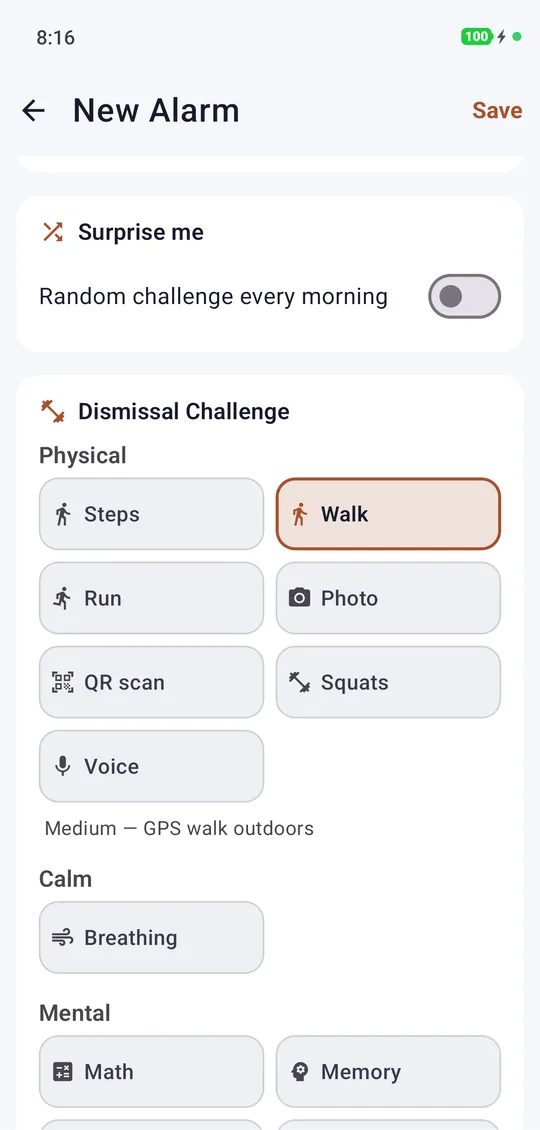
You set the bar. It holds you to it.
Pick a time the classic way with the dial, or just type it. Choose one challenge — or require a physical task and a mental one back-to-back for the mornings you really can't afford to oversleep.
- One-time, weekdays or custom repeatPlus skip-next-occurrence and a "test now" preview on every alarm.
- Compound challengesChain a physical task with a mental one for a double-lock dismissal.
- Adaptive anti-snoozeSnooze too often and the difficulty quietly ramps up on you.
- Sunrise sim & morning briefingGradual wake light and a morning routine builder to start the day right.
20 ways to prove you're up.
Language-free by design, so they work anywhere in the world. Math and Squats are free; every other challenge is Pro — try them all free for 7 days. Filter by category below.
Step Count
Take a set number of steps. Read straight from the phone's step sensor.
Walk Distance
Walk 100 m from where you started — GPS-verified, outdoors, mock-location proof.
Stair Climb
Climb real floors. Barometer + step counter — elevators are blocked.
Run Distance
Cover a running distance on a real path; vehicle speeds are rejected.
Photo of Object
Snap a specific object. Recognised by on-device ML Kit — no photo leaves your phone.
QR Scan
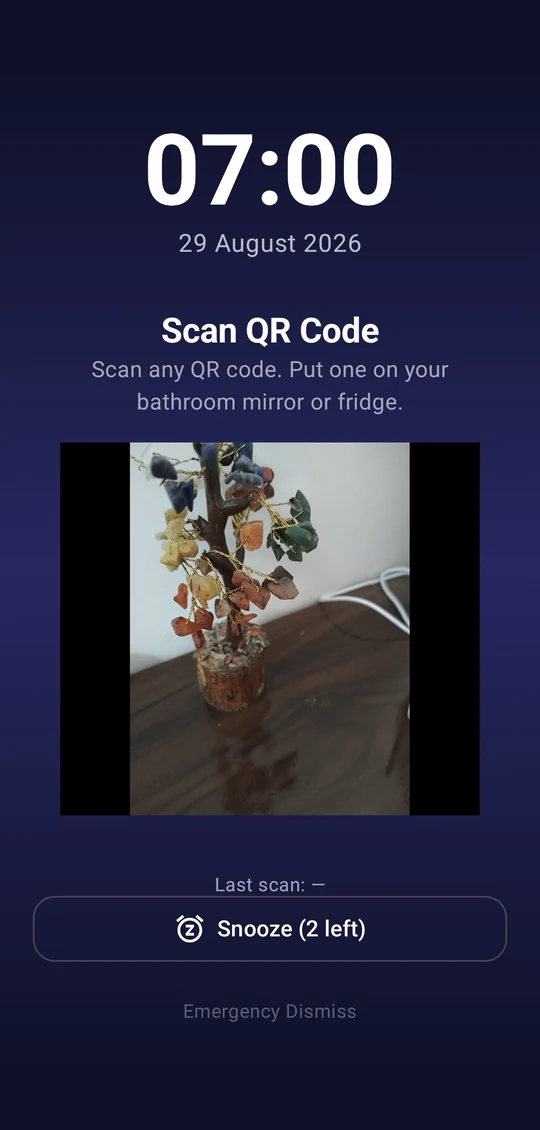
Scan a code you stuck across the room, so you have to get out of bed to reach it.
Squats
Do real squats — accelerometer tempo detection counts the honest ones.
Voice Volume
Be loud enough to wake up. Only loudness is measured — audio is never recorded.
Math
Solve a ramp of arithmetic that gets harder as you go. Up to 10 rounds.
Memory Sequence
Watch a growing sequence, then repeat it back from memory.
Stroop
Tap the colour of the word, not what it says. Deceptively hard half-asleep.
Number-size Stroop
Pick the numerically larger value while ignoring the font size trying to trick you.
Arrow Flanker
React to the centre arrow's direction and ignore the flankers around it.
Pattern
Spot the rule and complete the number sequence. Five rounds, easy to medium.
Anagram
Unscramble jumbled letters back into a real word.
Captcha
Read a noisy distorted text image and type it back correctly.
Trivia
Answer multiple-choice questions to wake up the thinking part of your brain.
Reaction Time
Tap the circle the instant it turns green — proves your reflexes are online.
Mini Sudoku 4×4
Solve a compact 4×4 Sudoku. The hardest way to start your day.
Breathing
Guided box-breathing cycles for a calmer, gentler wake-up.
Your mornings are nobody's business but yours.
NeuroAlarm was built private from the first line of code. There's no sign-up, no ad SDK, no analytics, no third-party trackers. Your alarms, wake history, GPS distances, camera and microphone checks are processed live, on your device, and never leave it.
- No account, everInstall and use it. Nothing to sign up for.
- Sensors stay on-deviceCamera frames and mic loudness are analysed in memory and discarded — never recorded or uploaded.
- Minimal network useInternet is used only by Google Play Billing for the optional Pro purchase and by Google's ML Kit, which sends anonymous diagnostics when you use Photo or QR — never your images, alarms or location.
- GDPR / CCPA by defaultWe never collect your data, so there's nothing on our side to leak, sell or subpoena.
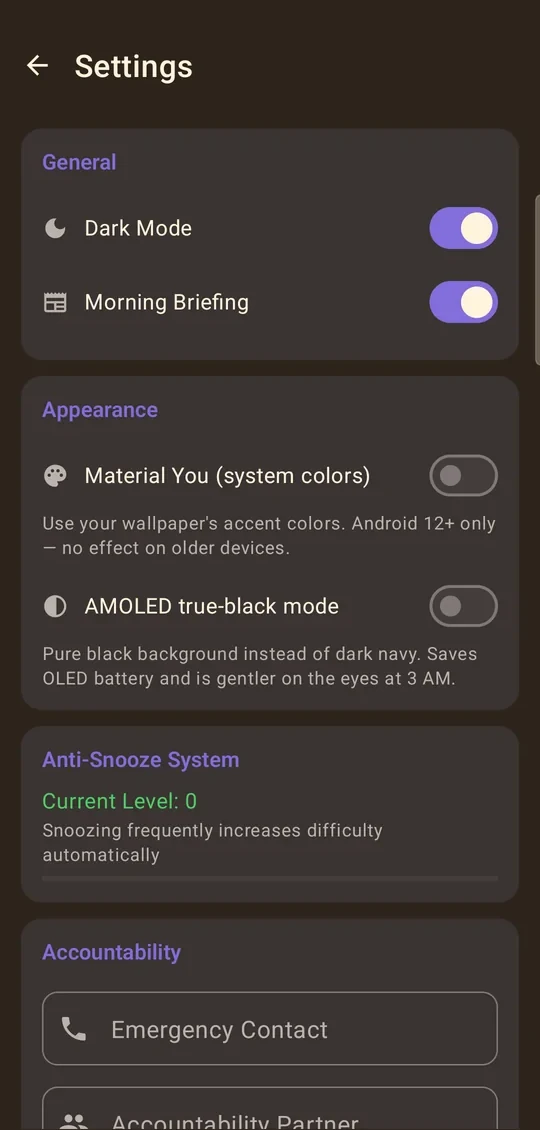
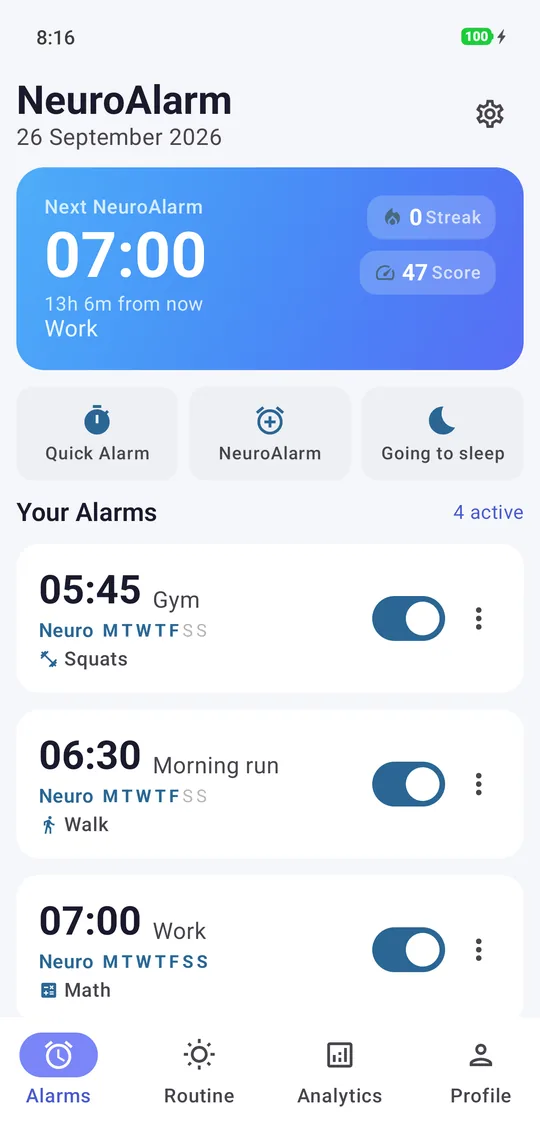
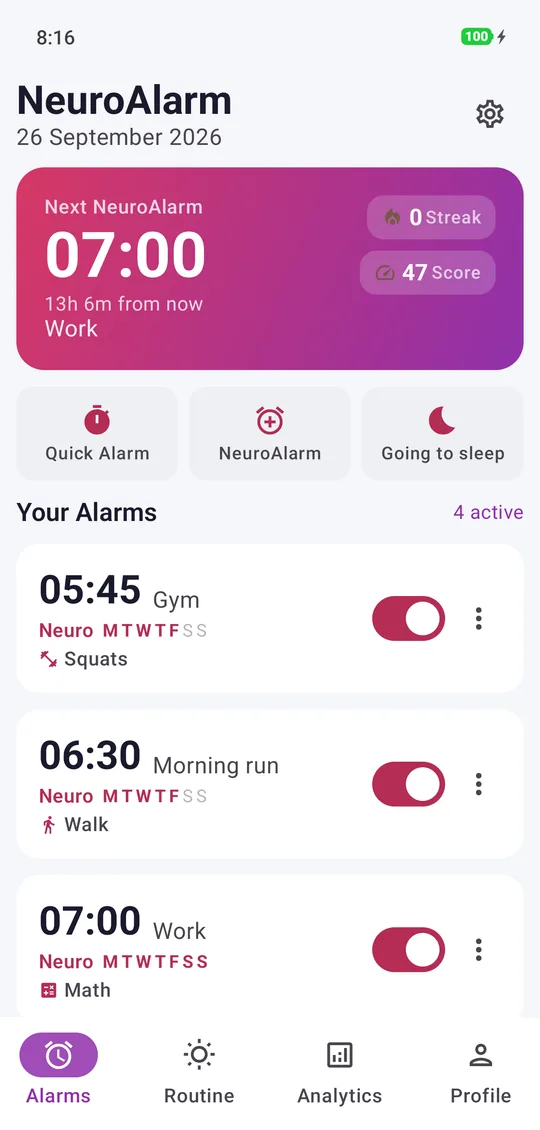
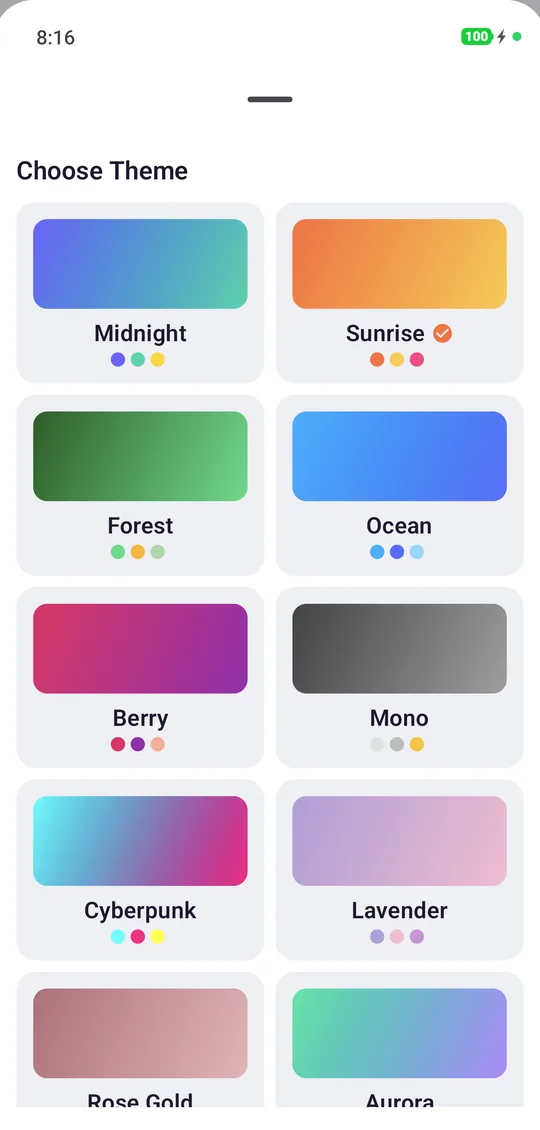
Ten themes, including a true-black AMOLED mode.
Every accent, gradient and card retunes to your chosen palette — and Material You can match your wallpaper on Android 12+.
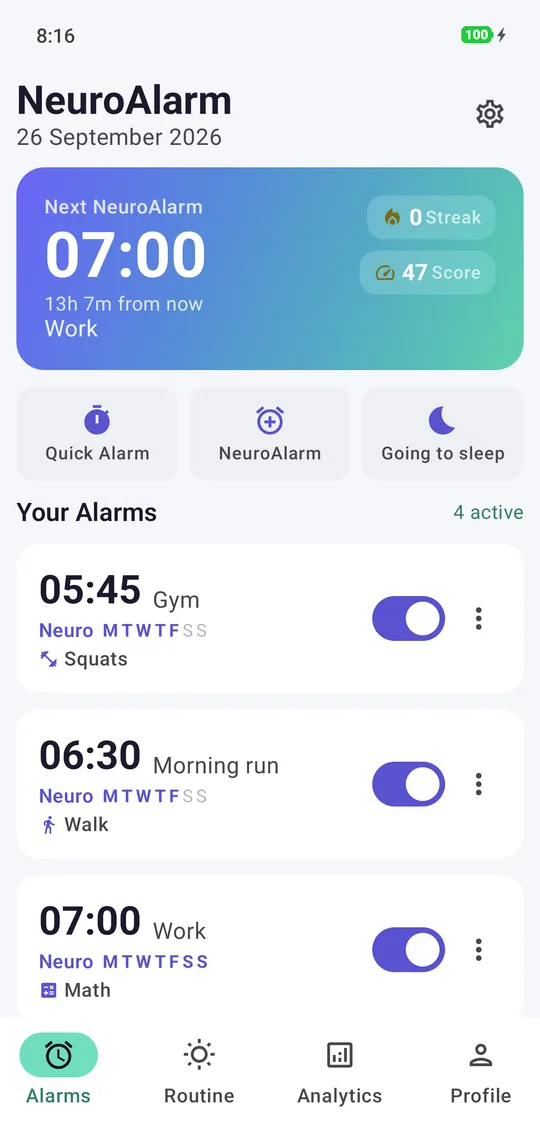
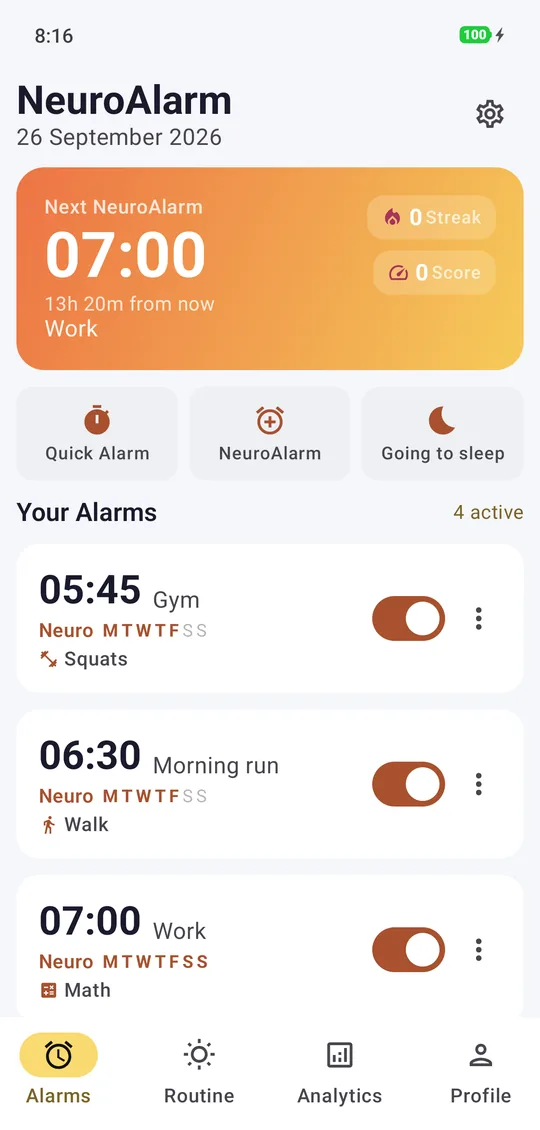
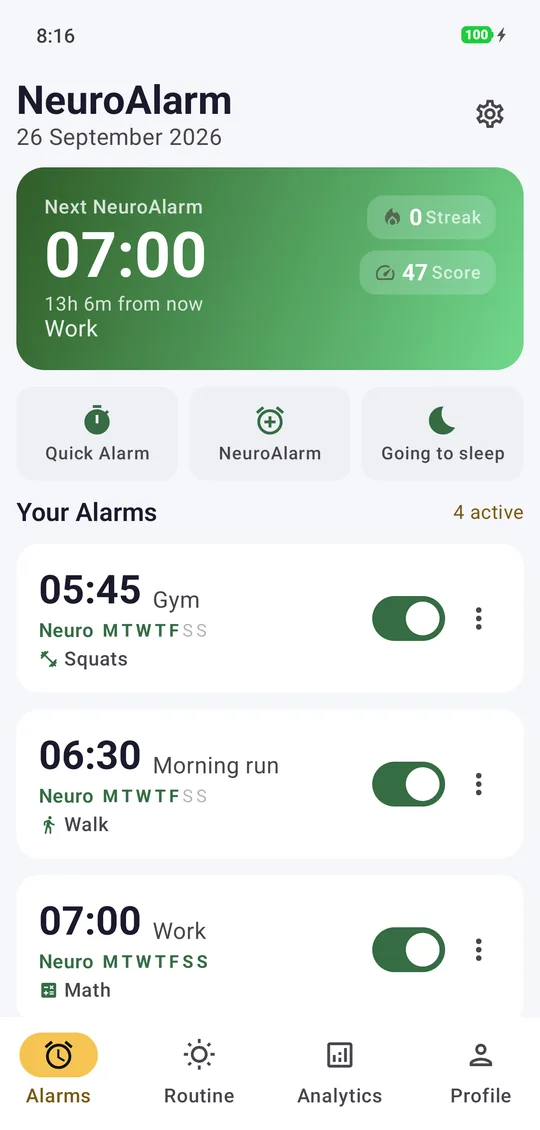
Premium, end to end.
Free to install. Pro for the challenges.
Quick Alarm and two full challenges — Math and Squats — are free forever, with no ads, ever. The other 18 challenges are Pro: go monthly, start the yearly plan with a 7-day free trial, or pay once for lifetime.
- Quick Alarm — set a time, tap to dismiss
- Math & Squats challenges — the real no-escape wake
- Home-screen widget for your next alarm
- Survives reboots, fires on a locked screen
- Wake Insights weekly headline: score, wakes, snoozes
- 30-Day Wake Reset intro + Day 1
- Midnight theme + your system ringtones
- All 20 challenges — walk, stairs, squats, QR, Stroop, Sudoku & more
- Compound alarms — chain a physical + mental task
- Night Lock, Back-to-Bed Guard, Surprise Me & your own-voice wake message
- Full Wake Insights report + CSV, full 30-Day Wake Reset
- Smart Wake, sunrise simulation, 15-track library, 3 voice packs
- All 10 themes + AMOLED true-black
- Still no ads, no account, no tracking
Good to know.
The easy ones (like Math) are meant to wake your brain, not stop a determined cheater. But the physical challenges are sensor-verified and built to catch the common cheats: fake-GPS apps are rejected, elevators don't satisfy the stair climb, and car speeds don't count as a run. The point is to make doing the task genuinely easier than gaming it.
Every ringing alarm has an Emergency Dismiss escape hatch. It's intentionally a little uncomfortable — you type out a short accountability phrase — so it can't become your everyday snooze, but it's always there when you truly need it.
Yes. Every alarm, challenge and sensor check runs on your device with no connection needed. Internet is only used by Google Play when you buy Pro, and by Google's ML Kit for anonymous diagnostics when the Photo or QR challenge runs.
NeuroAlarm uses Android's exact-alarm scheduling and re-arms itself after reboots, time changes and app updates. An optional "ignore battery optimisation" toggle keeps the OS from delaying a ring. Sensors only run during an active challenge, not in the background.
We collect nothing. There's no account, no analytics and no ad SDK, and your alarms and history never leave your phone. The one exception is Google's ML Kit, which sends Google anonymous diagnostics when you use Photo or QR. Read the full privacy policy for specifics.
NeuroAlarm is Android-only today (Android 8.0 and newer). Several challenges rely on Android's alarm, sensor and background-execution model.
Stop negotiating with snooze.
NeuroAlarm is live on Google Play. Free to install, no account, no ads. Quick Alarm, Math and Squats are free forever; every other challenge is yours to try free for 7 days — starting tonight.