 NeuroAlarm
The alarm you can't turn off until you are actually up.
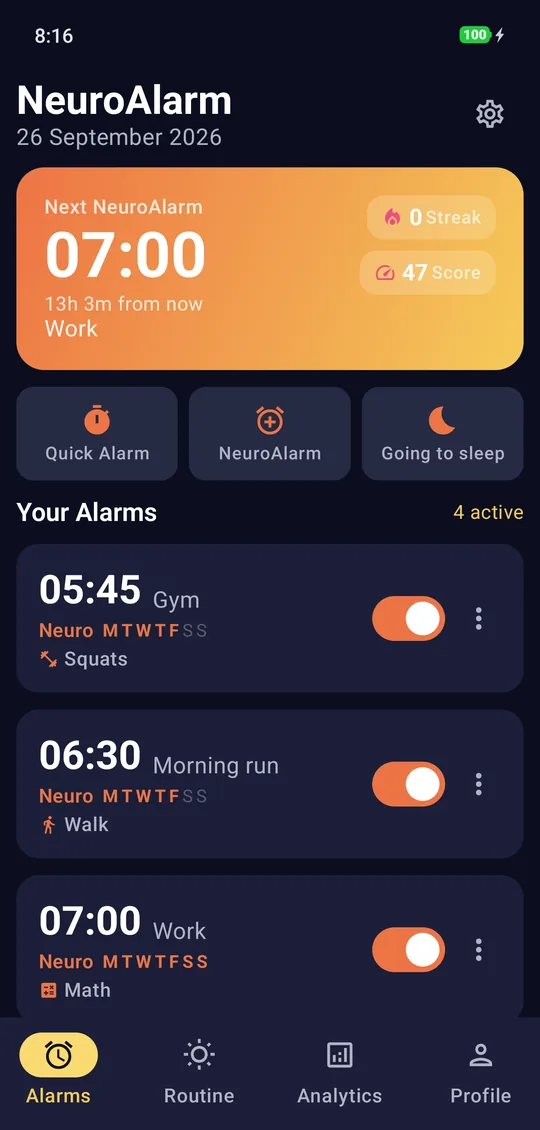
Most alarms stop the moment you find the button. NeuroAlarm stops when you finish a challenge, and it has been engineered so that every other way out, from the reboot to the force-kill to the uninstall, is slower and more annoying than just doing the challenge.
The challenge is the off-switch. There is no other.
1. The ring screen takes over
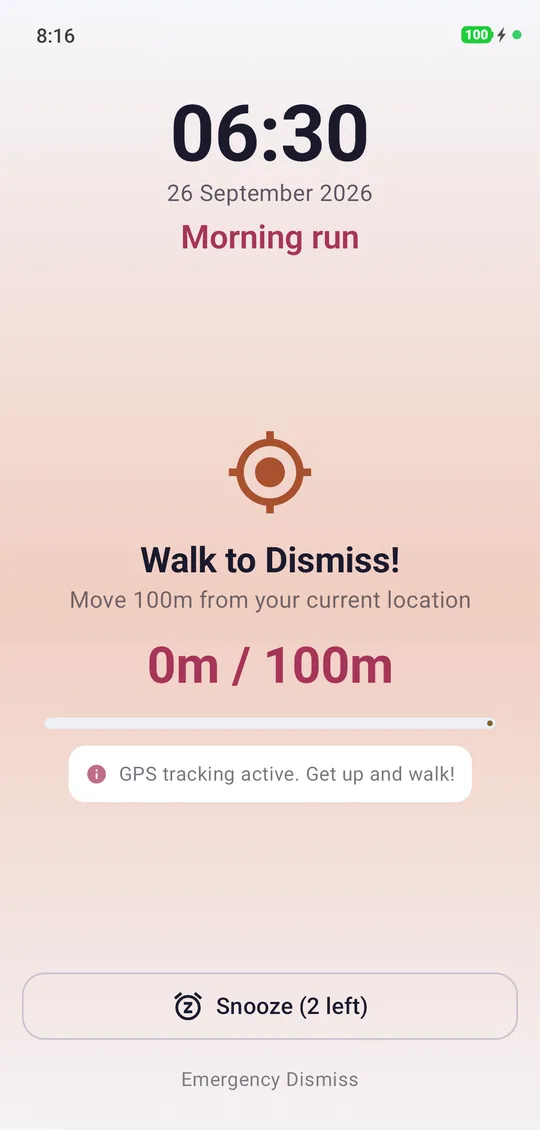
At the set time NeuroAlarm shows over the lock screen and stays in front. Open the app from the launcher mid-ring and it bounces you straight back to the challenge.
2. Only the challenge ends it
No swipe-to-dismiss. Snooze is rationed, 2 by default and each shorter than the last, and you can set it to 0. A wrong answer or a fake GPS fix does nothing except keep the sound going.
3. The escapes are closed
Reboot, Doze, force-kill and a time change all get survived. Turn on uninstall protection and deleting the app mid-ring is blocked too. You do the challenge, or you sit there listening to it.
An alarm that won't turn off until you get up needs proof you got up.
Closing the software escapes is half the job. The other half is making sure the challenge itself cannot be done from under the duvet. That is why NeuroAlarm's physical challenges are verified by sensors rather than by trust.
Walk Distance needs 100 m of GPS-measured displacement and discards fixes from mock-location apps. Stair Climb cross-checks the barometer against your step count so an elevator ride fails. Run Distance rejects vehicle speeds. Squats are counted by accelerometer tempo. QR Scan needs the camera pointed at a code you stuck in another room. Chain one of these with a mental challenge in a compound alarm and you need both your legs and your brain before it goes quiet.
Details on each are in the walk to dismiss and QR code alarm guides.
What happens when you try to get out of it.
You restart the phone
NeuroAlarm re-arms on boot, and a direct-boot safety ring fires even before the phone is unlocked after the restart. You get the length of a reboot in quiet and then the same challenge is back.
You force-stop the app or Android kills it
The alarm is scheduled with Android's exact-alarm API, which is honoured through Doze and app standby. Killing the app does not cancel the schedule: the ring is re-armed and comes back, with the same challenge attached.
You try to uninstall it
With uninstall protection on, Android's device-admin API refuses the uninstall until protection is disabled inside the app, which the ring screen does not let you reach. It has no other admin powers: no wipe, no lock, no remote control.
You change the clock
Time and timezone changes trigger a re-schedule, so winding the clock forward does not make the alarm fire early and winding it back does not make it disappear.
Hardest to escape. Not impossible, because nothing is.
Android does not let any app block a long-press power-off, and a forced uninstall from system settings is always possible once device-admin protection is switched off. Any alarm that tells you it is unbeatable is either exaggerating or breaking platform rules. NeuroAlarm's goal is different and achievable: make every escape route slower, clumsier and more conscious than the challenge, so the sleepy version of you gives up on escaping and gets up instead.
Emergency Dismiss. There is one legitimate way out, and it is meant for real emergencies. You type out a short accountability phrase in full and the alarm stops. It is deliberately slower than a swipe so it never becomes your everyday snooze, but it is always there when you truly need it.
All of this runs on the phone. No account, no ads, no analytics SDK. The only network use is Google Play for the optional Pro purchase and anonymous ML Kit diagnostics when you use Photo or QR. See the privacy policy.
Escaping it, answered.
No app can honestly claim that. Android does not let any app block a long-press power-off or a forced uninstall from system settings, and a phone with a dead battery rings for nobody. What NeuroAlarm does is remove every quick exit: no swipe-away, rationed snooze that you can set to zero, survival across reboot, Doze and force-kill, optional uninstall protection, and an Emergency Dismiss that costs more effort than the challenge. It is the hardest alarm to escape that Android allows.
The alarm comes back. NeuroAlarm re-arms itself on boot and includes a direct-boot safety ring that fires even before you unlock the phone after a restart. Restarting buys you the length of a reboot in silence and then you are exactly where you started, with the same challenge waiting.
If you have turned on uninstall protection, Android's device-admin API blocks the uninstall until you disable protection in the app's settings, which you cannot reach while the ring screen has taken over. Without protection on, uninstalling is possible, as with any Android app. Protection is optional and uses no admin powers beyond blocking removal.
Yes. Every ringing alarm has an Emergency Dismiss. You type out a short accountability phrase in full and the alarm stops. It exists for real emergencies, and it is deliberately slower and more awkward than a swipe so that it never turns into your everyday snooze.
The ring screen shows over the lock screen without unlocking, using Android's full-screen alarm mechanism. Emergency Wake Mode forces full volume with no snooze at all, for the alarms you cannot afford to miss.
Stop negotiating with snooze.
Free to install, no account, no ads. Quick Alarm, Math and Squats are free forever; the other 18 challenges are yours to try free for 7 days.